Microsoft AI Foundry, in plain terms
A tour of AI Foundry's model catalog, agent service and resource hierarchy, and why it replaces jumping across separate Azure services.
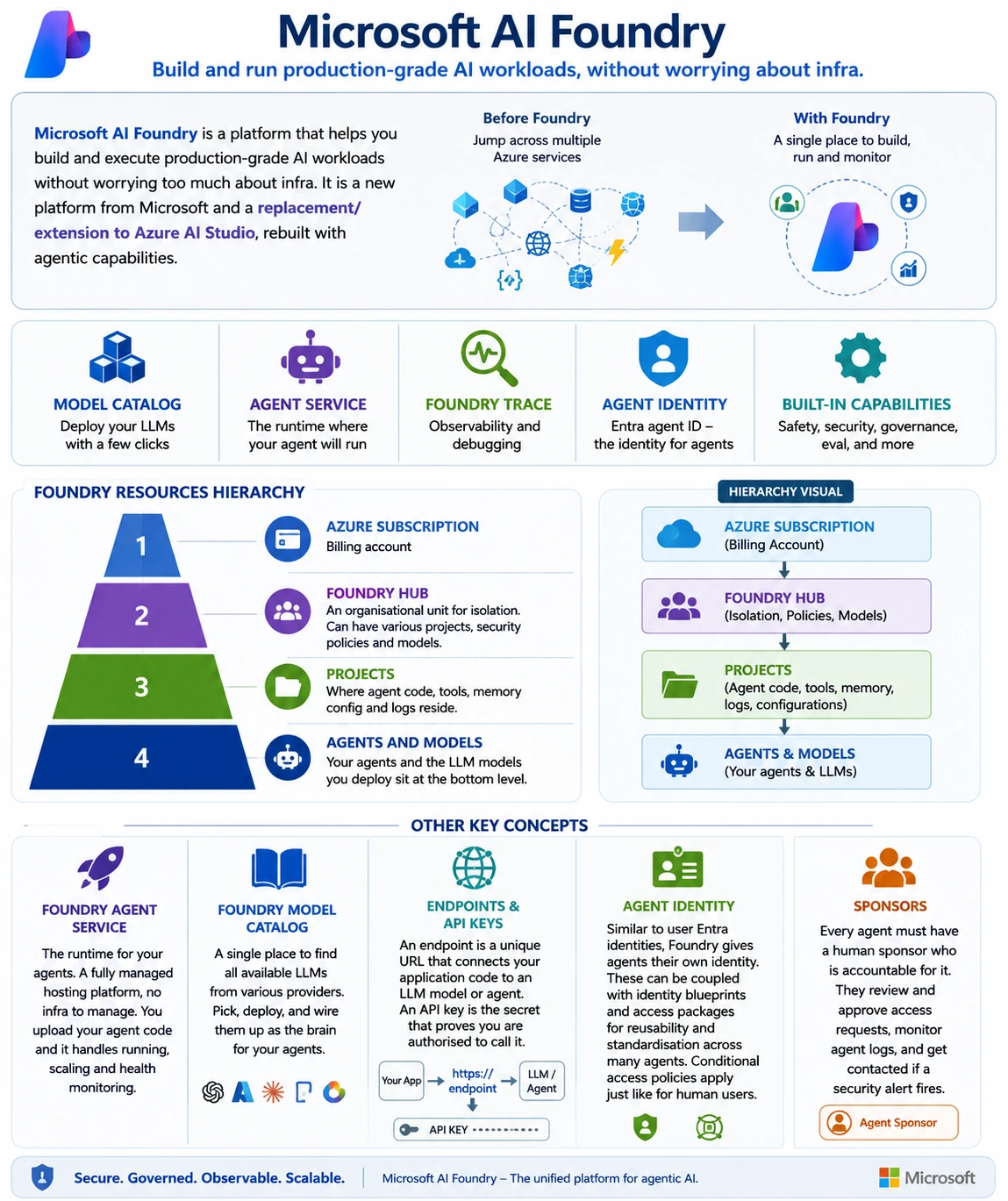
Microsoft AI Foundry is a platform that helps you build and execute production-grade AI workloads without worrying too much about infra. It is a new platform from Microsoft and a replacement/extension to Azure AI Studio, rebuilt with agentic capabilities.
Before Foundry, AI engineers had to jump across various Azure resources and services to deploy AI workloads. Foundry gives you a single place to sit and work. It comes with:
- model catalog - deploy your LLMs with a few clicks
- agent service - the runtime where your agent will run
- foundry trace - observability and debugging
- agent identity - Entra agent ID - the identity for agents
Foundry resources follow this hierarchy:
- Azure subscription - billing account
- Foundry Hub - an organisational unit for isolation. Can have various projects, security policies and models.
- Projects - where agent code, tools, memory config and logs reside.
- Agents and models - your agents and the LLM models you deploy sit at the bottom level.
A few other concepts worth knowing:
- Foundry agent service - the runtime for your agents. A fully managed hosting platform, no infra to manage. You upload your agent code and it handles running, scaling and health monitoring.
- Foundry model catalog - a single place to find all available LLMs from various providers. Pick, deploy, and wire them up as the brain for your agents.
- Endpoints and API keys - an endpoint is a unique URL that connects your application code to an LLM model or agent. An API key is the secret that proves you are authorised to call it.
- Agent identity - similar to user Entra identities, Foundry gives agents their own identity. These can be coupled with identity blueprints and access packages for reusability and standardisation across many agents. Conditional access policies apply just like they do for human users.
- Sponsors - every agent must have a human sponsor who is accountable for it. They review and approve access requests, monitor agent logs, and get contacted if a security alert fires.