Tables are the culprits in document parsing
Six lessons from production document intelligence work on why tables break parsers, and what actually helps: specialised document AI, vision LLMs for rectification, and per-cell confidence scores.
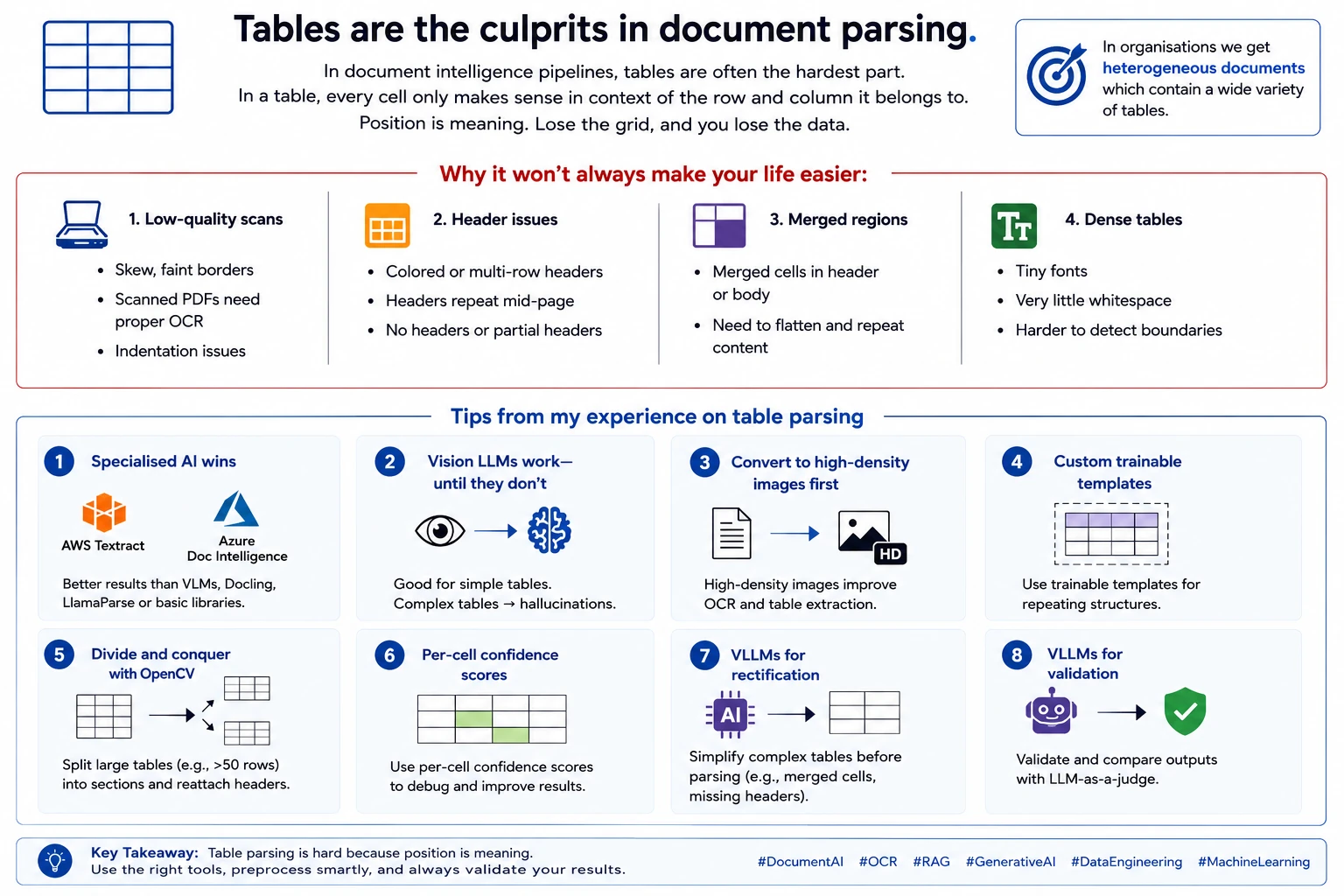
In document intelligence pipelines, tables are often the hardest part. Every cell only makes sense in context of the row and column it belongs to. Position is meaning. In organizations we get heterogeneous documents with a wide variety of tables. These may not be as straightforward as uploading to Claude and extracting content.
Some reasons why it won’t always make your life easier
- Low-quality scans - skew, faint borders, and documents that look like PDFs but are just scanned images needing proper OCR.
- Header issues - coloured headers, multi-row headers, headers that repeat mid-page, or no headers at all.
- Merged regions - you have to flatten and repeat content properly to parse them.
- Dense tables with tiny fonts and almost no whitespace.
Some tips from my experience on table parsing
1. Specialised document AI wins. AWS Textract and Azure Document Intelligence with table extraction enabled give better results than other methods - vision language models, Docling, LlamaParse, or basic approaches like PyPDF2, Unstructured, and PyMuPDF.
2. Vision LLMs for rectification and validation. Vision LLMs work for tables with decent complexity, but hallucinate on anything too dense - don’t rely on them as the primary parser. Where they shine is before and after. Before parsing, they can simplify complex structures - flattening merged ranges, adding missing headers - so Textract or Azure Document Intelligence handles the rest cleanly. After parsing, with an LLM-as-a-judge prompt, they give you a separate extraction to compare against and quantify accuracy.
3. Convert to high-density images first. When using Textract or Azure Document Intelligence, first convert pages to high-density images. It makes parsing more straightforward.
4. Custom trainable templates. If the same table structure repeats across documents, use custom trainable templates. Textract, Azure Document Intelligence, and Bedrock Data Automation all support this - draw bounding boxes, mark fields, train once.
5. Divide and conquer with OpenCV. OpenCV can help when extraction quality is low. In one project I took bounding boxes in the first pass, split the table into headers and rows, then broke anything over 50 rows into two mini-tables with the headers reattached. Parsing quality improved significantly.
6. Per-cell confidence scores. Textract and Azure Document Intelligence return per-cell confidence scores. Use them during debugging to find exactly where your pipeline is losing accuracy.