Lambda and Azure Functions: the event-driven starting point for AI workloads
Moving an AI POC to production usually starts here: pay only for what runs, zero infrastructure, and a hard timeout ceiling the moment your workflow needs more than one step.
An AI POC - whether it’s a notebook, a Streamlit demo, or a quick API on a laptop - proves the idea works. Production is a different problem: triggers, timeouts, retries, scaling, cost, and uptime.
Cloud infrastructure is built to handle exactly that. But there’s no single right way to deploy an AI workload. The right choice depends on how the work is triggered, how long it runs, and how complex the logic is.
One of those ways is Lambda on AWS - or Azure Functions on Azure.
Lambda / Azure Functions - event-driven, stateless
When people first move an AI workload to the cloud, this is usually where they start - and for good reason.
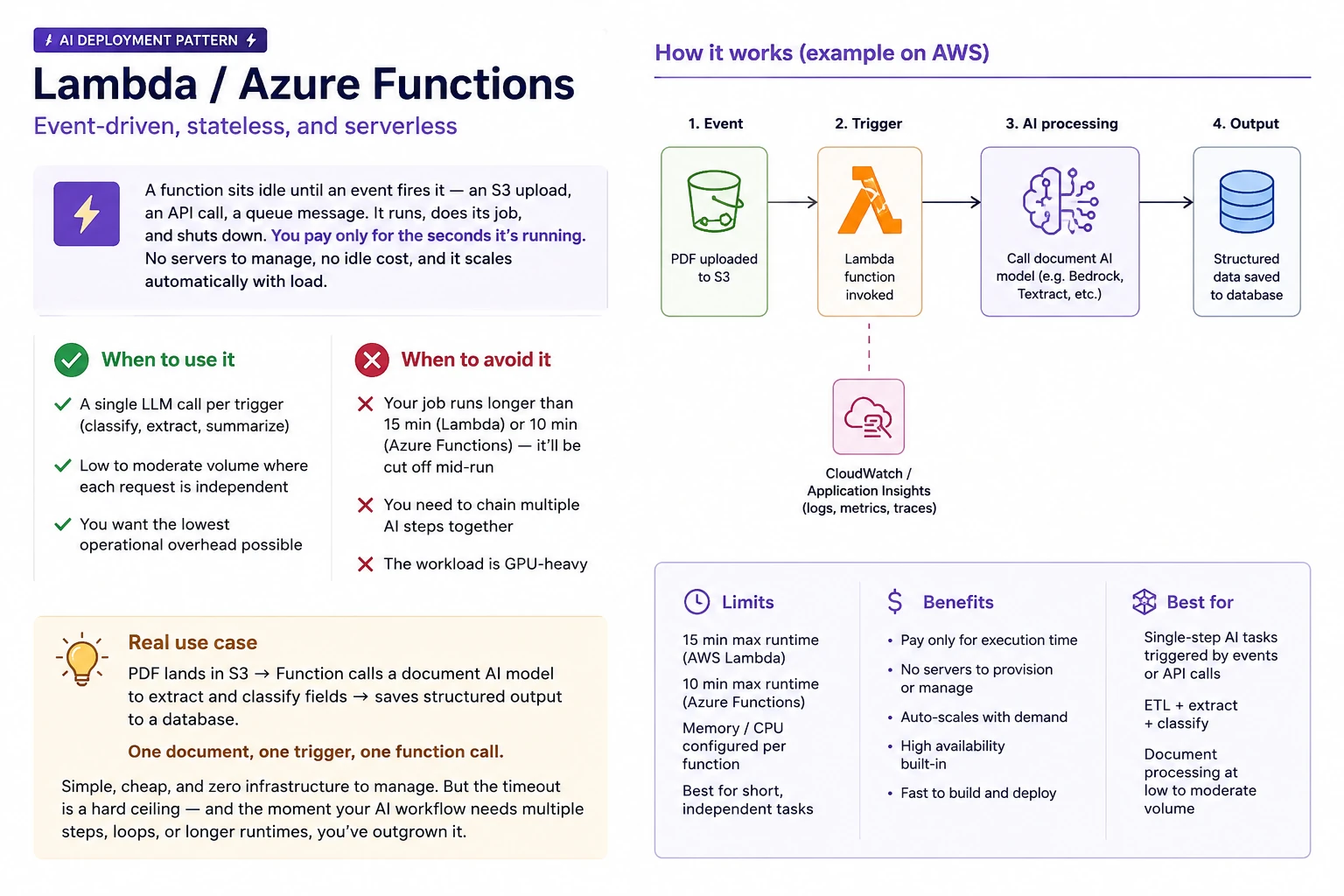
What it does: A function sits idle until an event fires it - an S3 upload, an API call, a queue message. It runs, does its job, and shuts down. You pay only for the seconds it’s running. No servers to manage, no idle cost, and it scales automatically with load.
When to use it:
- A single LLM call per trigger (classify, extract, summarize)
- Low to moderate volume where each request is independent
- You want the lowest operational overhead possible
When to avoid it:
- Your job runs longer than 15 min (Lambda) or 10 min (Azure Functions) - it’ll be cut off mid-run
- You need to chain multiple AI steps together
- The workload is GPU-heavy
Real use case: PDF lands in S3 → Function calls a document AI model to extract and classify fields → saves structured output to a database. One document, one trigger, one function call.
Simple, cheap, and zero infrastructure to manage. But the timeout is a hard ceiling - and the moment your AI workflow needs multiple steps, loops, or longer runtimes, you’ve outgrown it.